How and why to use chunk skipping to optimize hypertable performance and make sure your analytical queries are as fast as they can be.
Hypertables are tables that help you improve insert and query performance by automatically partitioning
your data by time. Each hypertable is made up of child tables called chunks. Each chunk is assigned a range of time,
and only contains data from that range. When you run a query, identifies the correct chunk and runs
the query on it, instead of going through the entire table. This page shows you how to tune hypertables to increase
performance even more.
Adjusting your hypertable chunk interval can improve performance in your database.
Choose an optimum chunk interval builds the index on the fly during ingestion. That means that to build a new entry on the index,
a significant portion of the index needs to be traversed during every row insertion. When the index does not fit
into memory, it is constantly flushed to disk and read back. This wastes IO resources which would otherwise
be used for writing the heap/WAL data to disk.The default chunk interval is 7 days. However, best practice is to set chunk_interval so that prior to processing,
the indexes for chunks currently being ingested into fit within 25% of main memory. For example, on a system with 64
GB of memory, if index growth is approximately 2 GB per day, a 1-week chunk interval is appropriate. If index growth is
around 10 GB per day, use a 1-day interval.You set chunk_interval when you create a , or by calling
set_chunk_time_interval() on an existing hypertable.In the following example you create a table called conditions that stores time values in the
time column and has chunks that store data for a chunk_interval of one day:
CREATE TABLE conditions ( time TIMESTAMPTZ NOT NULL, location TEXT NOT NULL, device TEXT NOT NULL, temperature DOUBLE PRECISION NULL, humidity DOUBLE PRECISION NULL) WITH ( timescaledb.hypertable, timescaledb.chunk_interval='1 day');
Check current setting for chunk intervalsQuery the catalog for a . For example:
SELECT *
  FROM timescaledb_information.dimensions
  WHERE hypertable_name = 'conditions';
The result looks like:
hypertable_schema | hypertable_name | dimension_number | column_name | column_type | dimension_type | time_interval | integer_interval | integer_now_func | num_partitions-------------------+-----------------+------------------+-------------+--------------------------+----------------+---------------+------------------+------------------+---------------- public | metrics | 1 | recorded | timestamp with time zone | Time | 1 day | | |
Time-based interval lengths are reported in microseconds.
Change the chunk interval length on an existing hypertableTo change the chunk interval on an already existing hypertable, call set_chunk_time_interval().
The updated chunk interval only applies to new chunks. This means setting an overly long
interval might take a long time to correct. For example, if you set
chunk_interval to 1 year and start inserting data, you can no longer
shorten the chunk for that year. If you need to correct this situation, create a
new hypertable and migrate your data.While chunk turnover does not degrade performance, chunk creation
does take longer lock time than a normal INSERT operation into a chunk that has
already been created. This means that if multiple chunks are being created at
the same time, the transactions block each other until the first transaction is
completed.
If you use expensive index types, such as some PostGIS geospatial indexes, take
care to check the total size of the chunk and its index using
chunks_detailed_size().
Early access Since 2.17.1One of the key purposes of hypertables is to make your analytical queries run with the lowest latency possible.
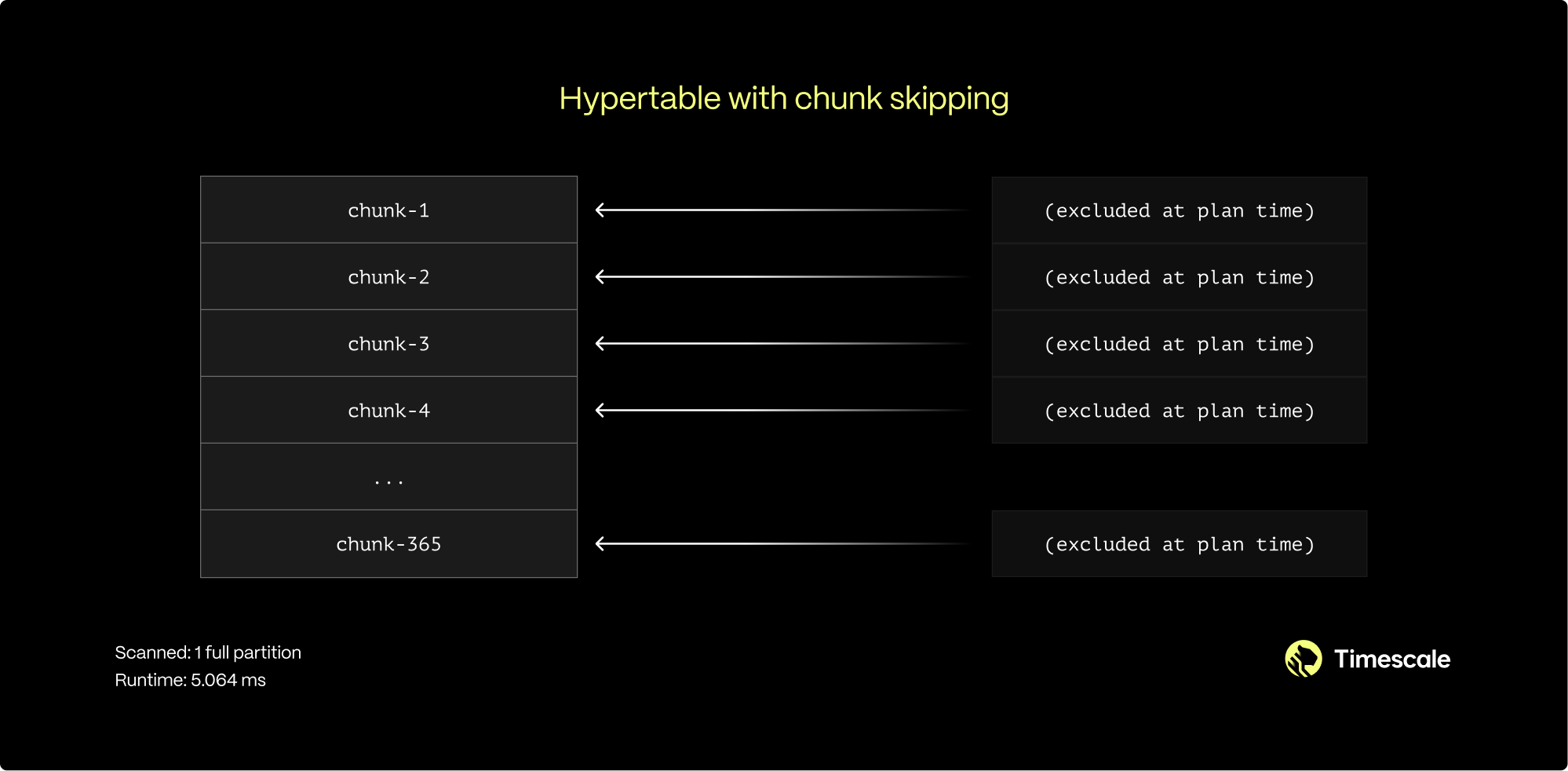
When you execute a query on a hypertable, you do not parse the whole table; you only access the chunks necessary
to satisfy the query. This works well when the WHERE clause of a query uses the column by which a hypertable is
partitioned. For example, in a hypertable where every day of the year is a separate chunk, a query for September 1
accesses only the chunk for that day.However, many queries use columns other than the partitioning one. For example, a satellite company might have a
table with two columns: one for when data was gathered by a satellite and one for when it was added to the database.
If you partition by the date of gathering, a query by the date of adding accesses all chunks in the hypertable and
slows the performance.To improve query performance, TimescaleDB enables you to skip chunks on non-partitioning columns in hypertables.
Chunk skipping only works on chunks converted to the columnstore after you enable_chunk_skipping.
You enable chunk skipping on a column in a hypertable. TimescaleDB tracks the minimum and maximum values for that
column in each chunk. These ranges are stored in the start (inclusive) and end (exclusive) format in the chunk_column_stats
catalog table. TimescaleDB uses these ranges for dynamic chunk exclusion when the WHERE clause of an SQL query
specifies ranges on the column.You can enable chunk skipping on hypertables compressed into the columnstore for smallint, int, bigint, serial,
bigserial, date, timestamp, or timestamptz type columns.
You can enable chunk skipping on as many columns as you need. However, best practice is to enable it on columns that
are both:
Correlated, that is, related to the partitioning column in some way.
Referenced in the WHERE clauses of the queries.
In the satellite example, the time of adding data to a database inevitably follows the time of gathering.
Sequential IDs and the creation timestamp for both entities also increase synchronously. This means those two
columns are correlated.For a more in-depth look on chunk skipping, see our blog post.
To enable chunk skipping on a column, call enable_chunk_skipping() on a hypertable for a column_name. For example,
the following query enables chunk skipping on the order_id column in the orders table:
You can use the ANALYZE command to query all chunks in your
. The statistics collected by the ANALYZE command are used by the
planner to create the best query plan. For more information about the
ANALYZE command, see the documentation.


 You can enable chunk skipping on hypertables compressed into the columnstore for