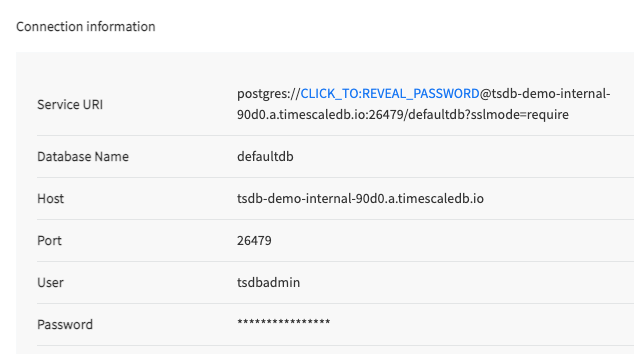
- Hostname
- Port
- Username
- Password
- Database name
- Tab Title
- Tab Title
- Tab Title
Connect to your service
Retrieve the connection details for your :-
In
<service name>-credentials.txt: All connection details are supplied in the configuration file you download when you create a new . -
In :
Open the
Servicespage and select your . The connection details, except the password, are available inService info>Connection info>More details. If necessary, clickForgot your password?to get a new one.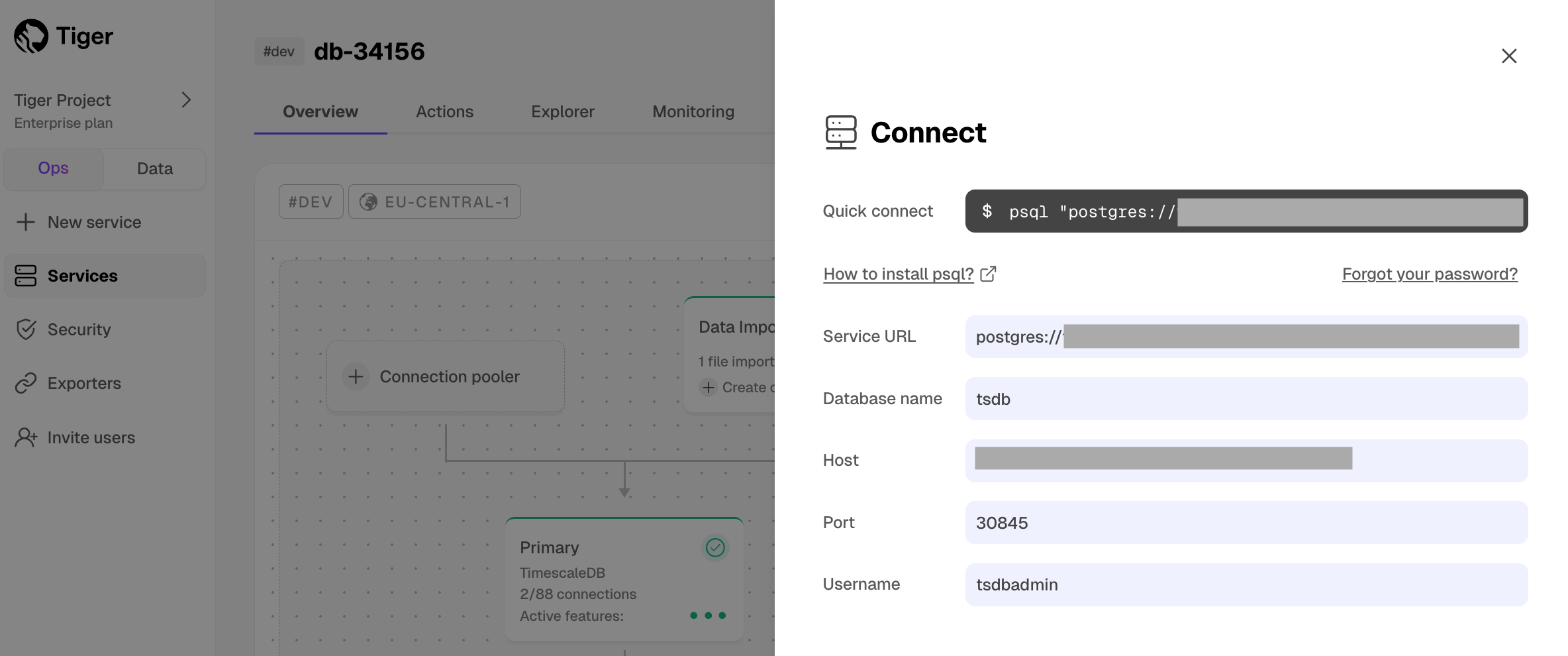
Find your project and service ID
To retrieve the connection details for your and :-
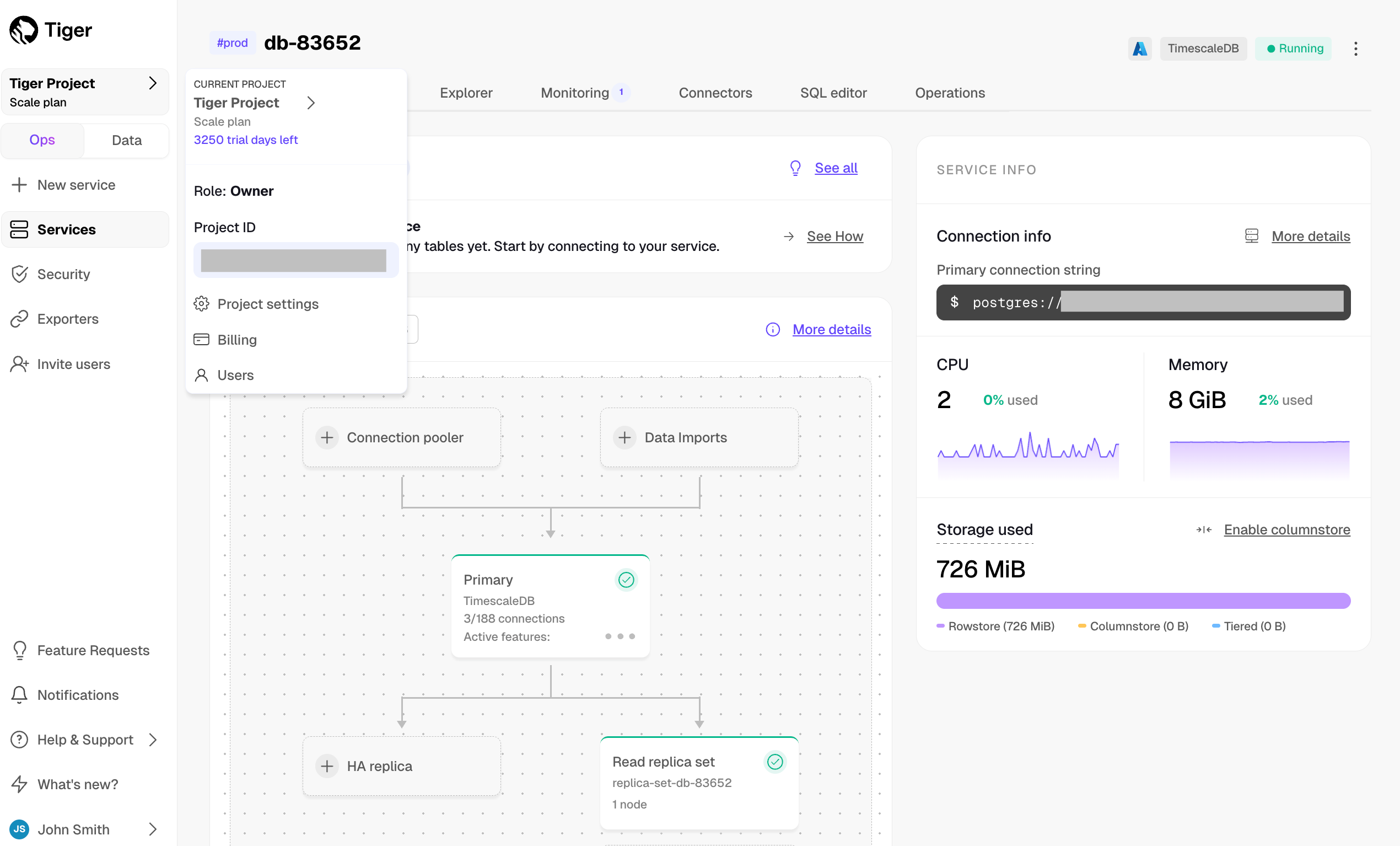
Retrieve your ID:
In , click the arrows next to the name in the top left. The ID is under the name.
-
Retrieve your ID:
Click the dots next to the , then click
Copynext to the ID.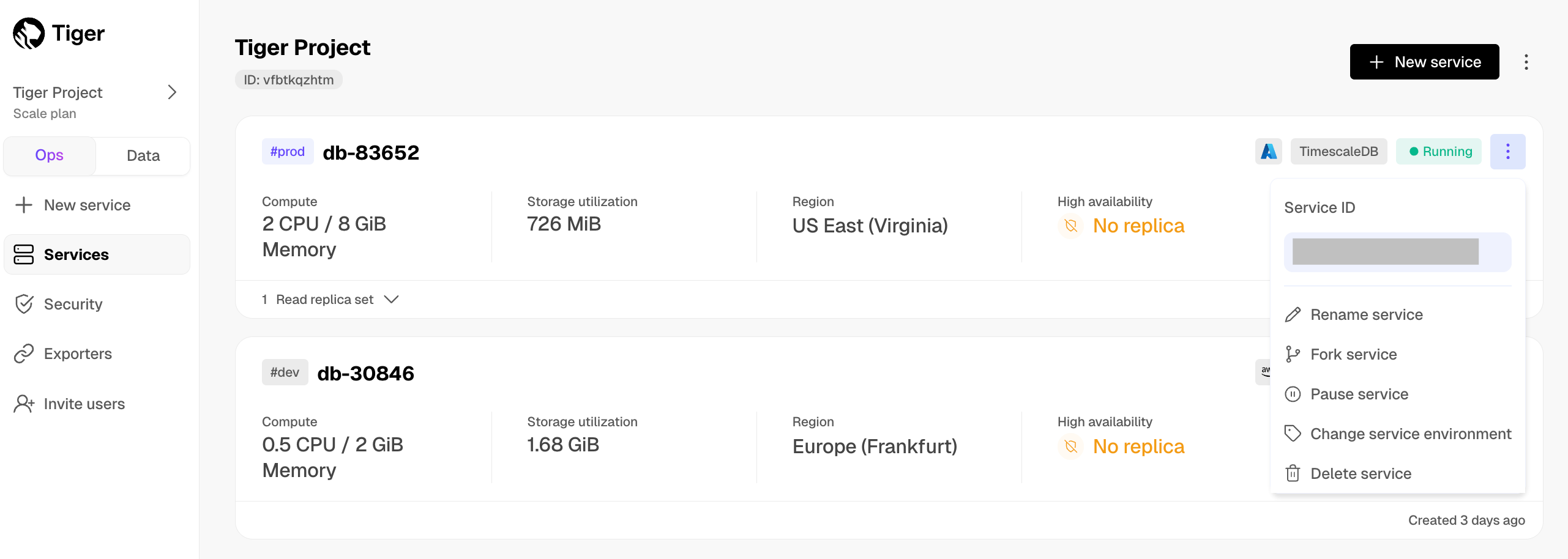
Create client credentials
You use client credentials to obtain access tokens outside of the user context.To retrieve the connection details for your for programmatic usage such as Terraform or the REST API:-
Open the settings for your :
In , click
Settings. -
Create client credentials:
-
Click
Create credentials, then copyPublic keyandSecret keylocally.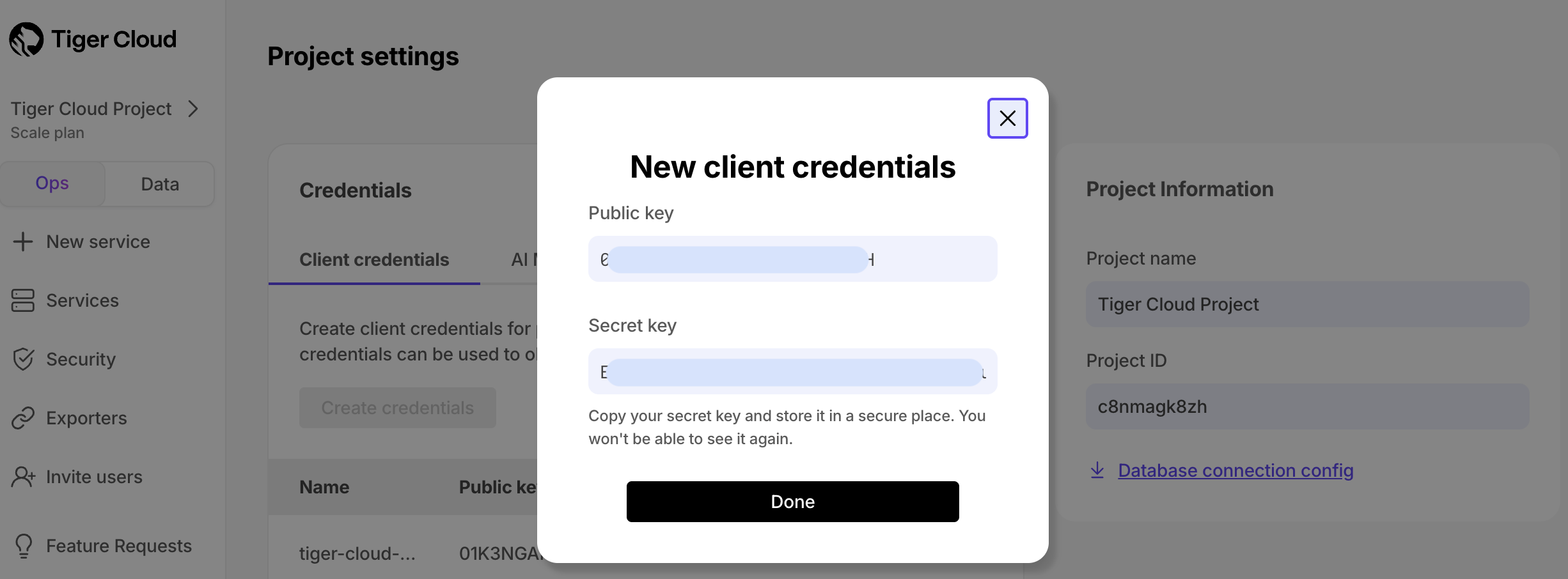 This is the only time you see the
 Secret key. After this, only thePublic keyis visible in this page. -
Click
Done.
-
Click